Switching from
Clockify.
Practical walkthrough — no marketing fluff. Most teams complete the move in under an hour. Here's exactly what to do.
The 6 steps
- 1
Export your Clockify data
In Clockify, go to Reports → Detailed → Export → CSV. Separately export your Workspace's Clients and Projects from their management screens. You'll get three CSV files. Clockify's exports include user emails by default — no spreadsheet step needed.
- 2
Sign up for Tempough and invite your team
Create your Tempough workspace and invite team members at Settings → Team. Their emails must match the user_email column in your Clockify export. Tempough Free is fine for the import — pick a paid plan once you want to invoice or run team reports.
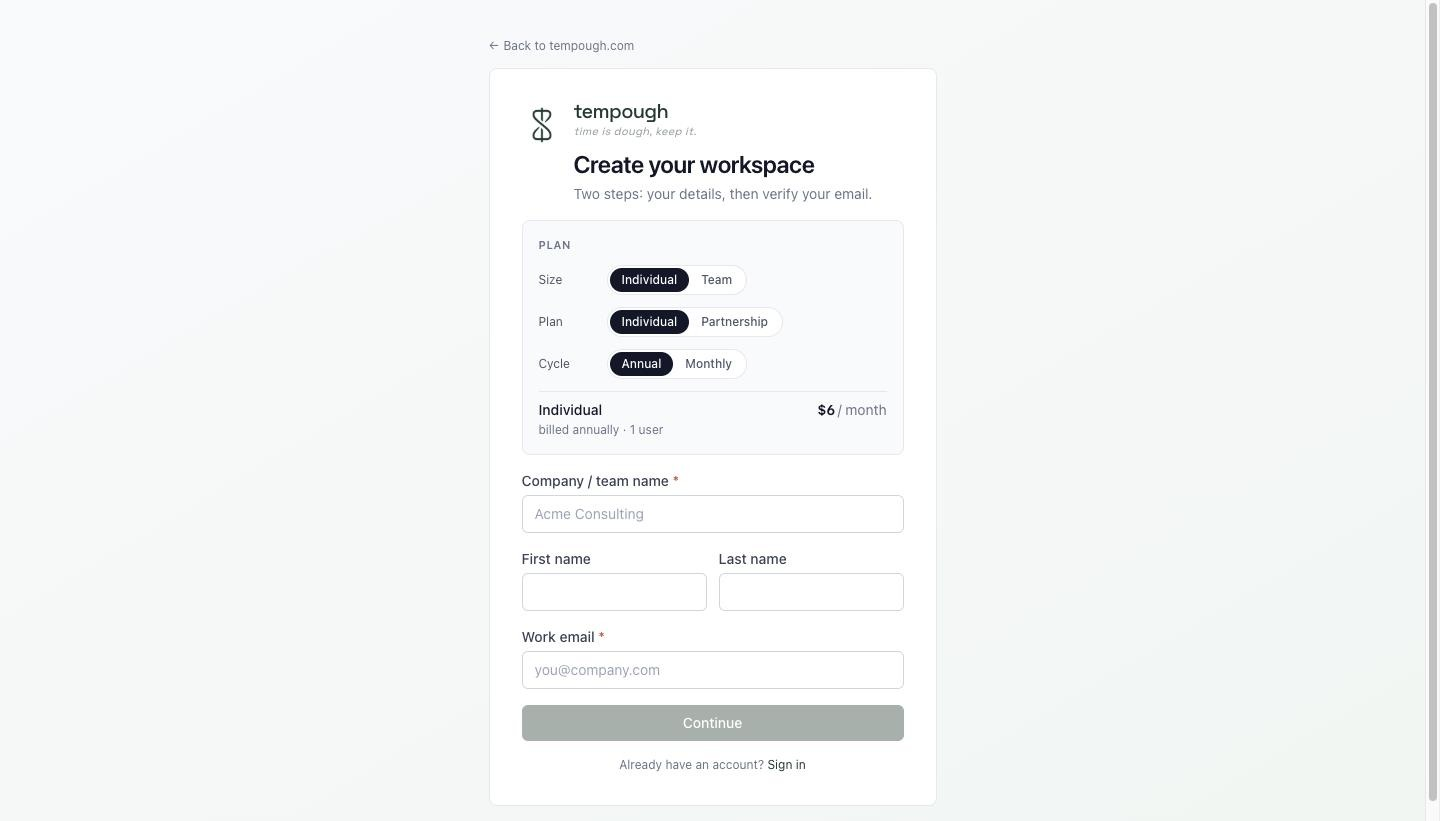
Step 3a — Create a Tempough workspace. 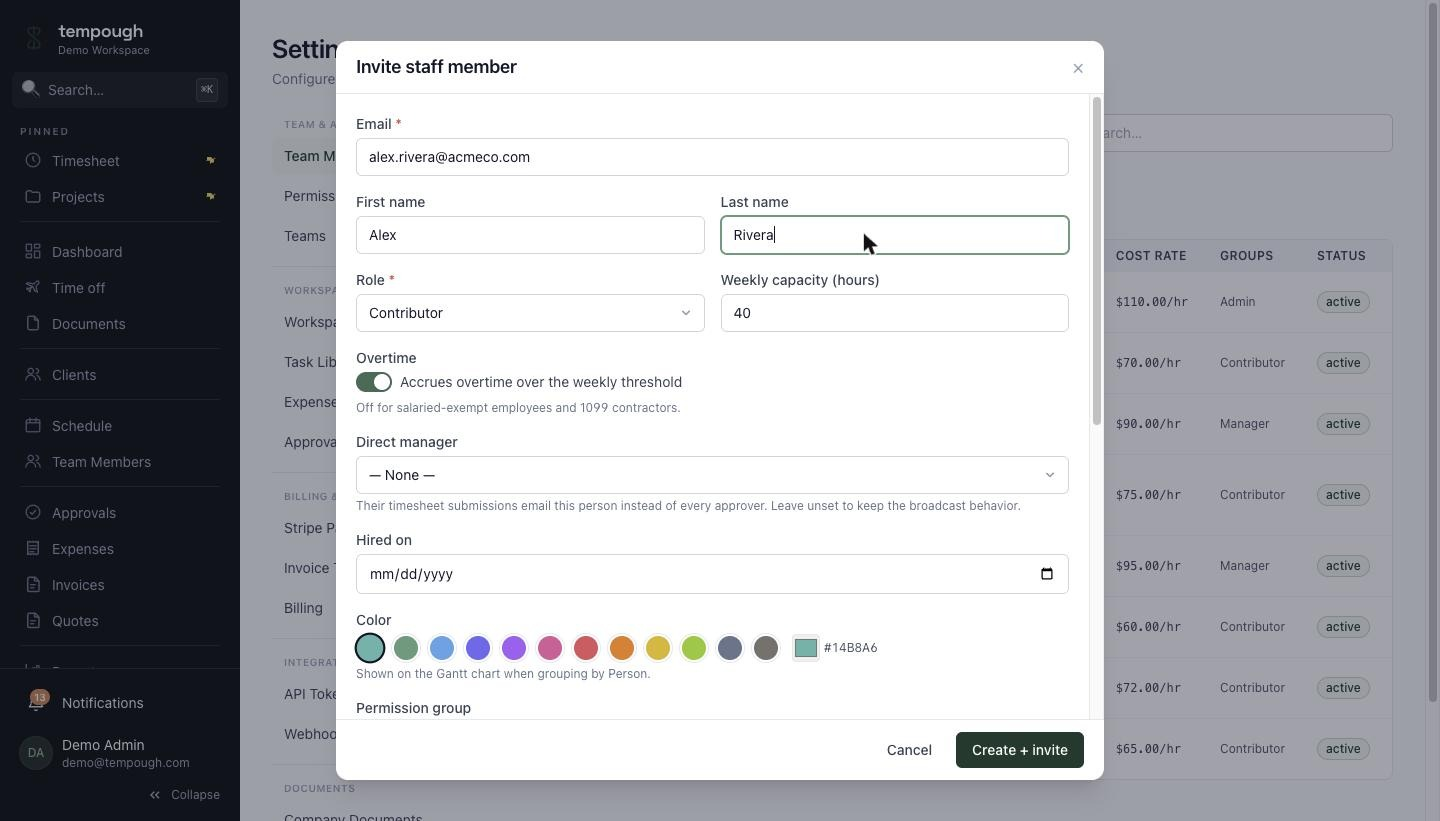
Step 3b — Invite teammates. Emails must match the user_email column. - 3
Import — clients, then projects, then time
Go to /imports and upload in that order. Each step has a Dry-run button that previews exactly what would land. Duplicates are deduped on natural keys so re-running a fixed file is safe.
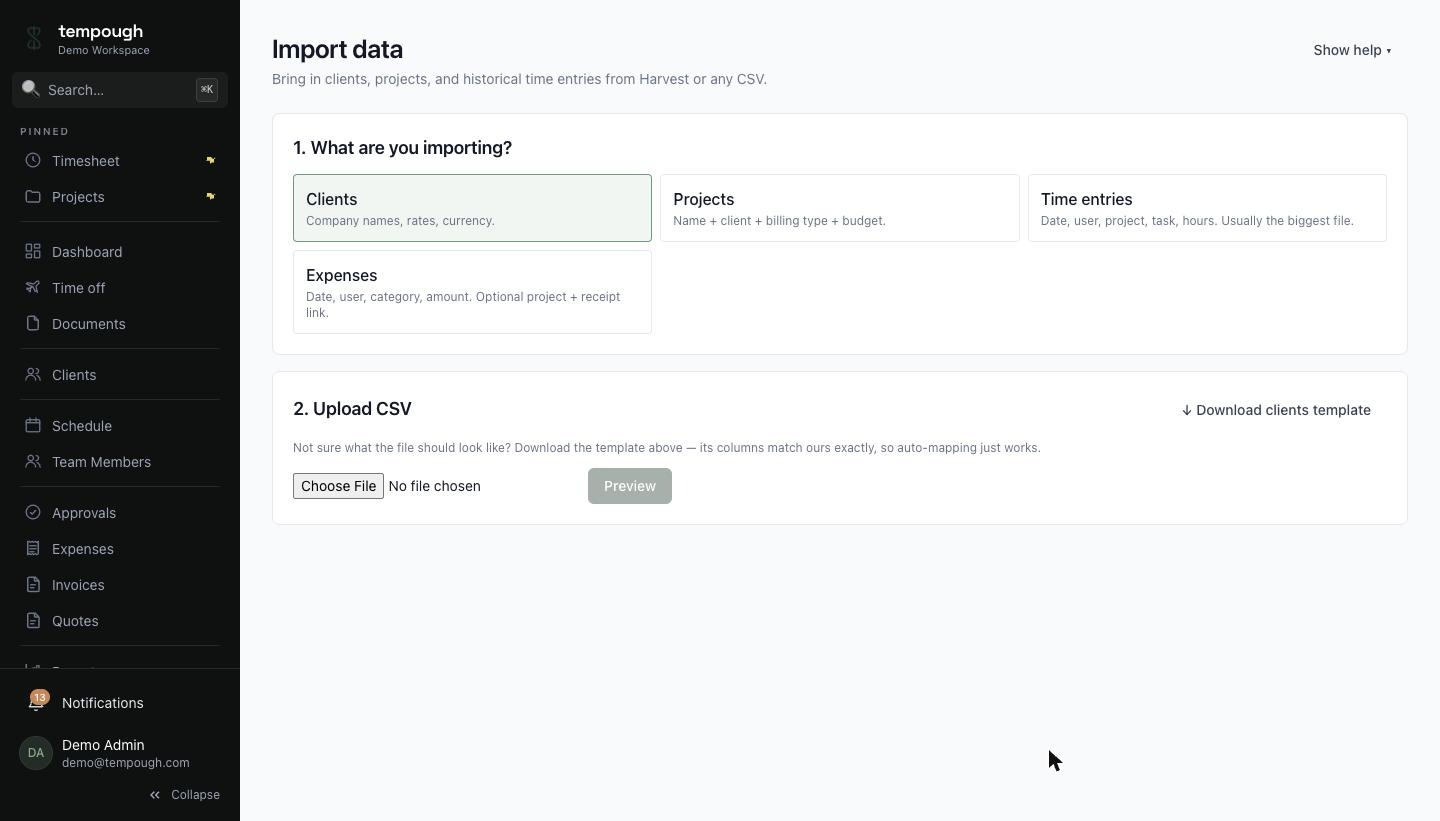
The /imports page — start with Clients, then Projects, then Time. 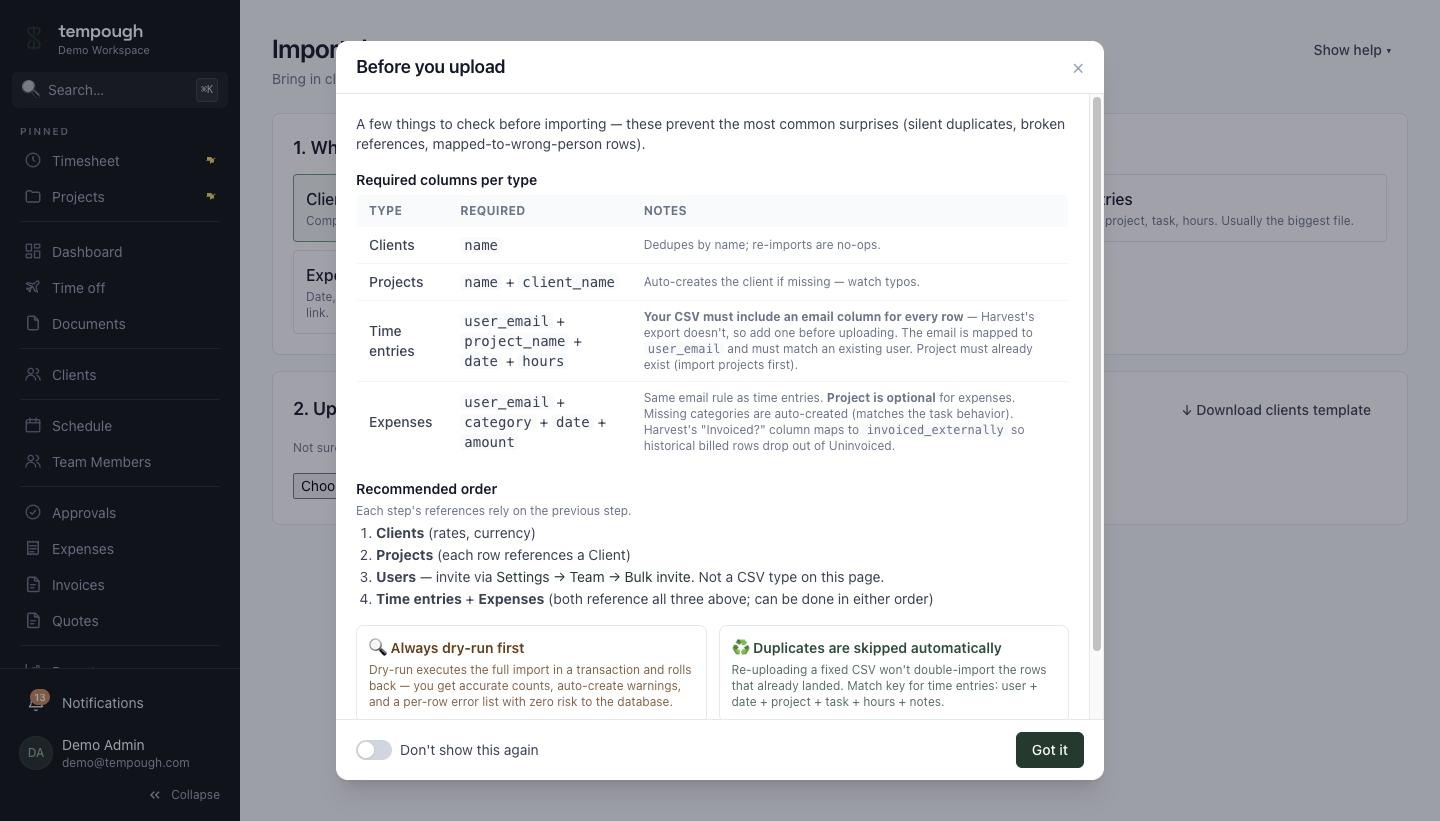
Every importer runs the upload in a transaction and rolls back so you can preview. - 4
Set up billing rates and cost rates
Clockify's rate structure is per-tier (Standard+ for billing rates, Cake for cost rates) and may not have applied to your free workspace. Set rates fresh in Tempough at Settings → Cost Rates (per-user) and on each project (billing).
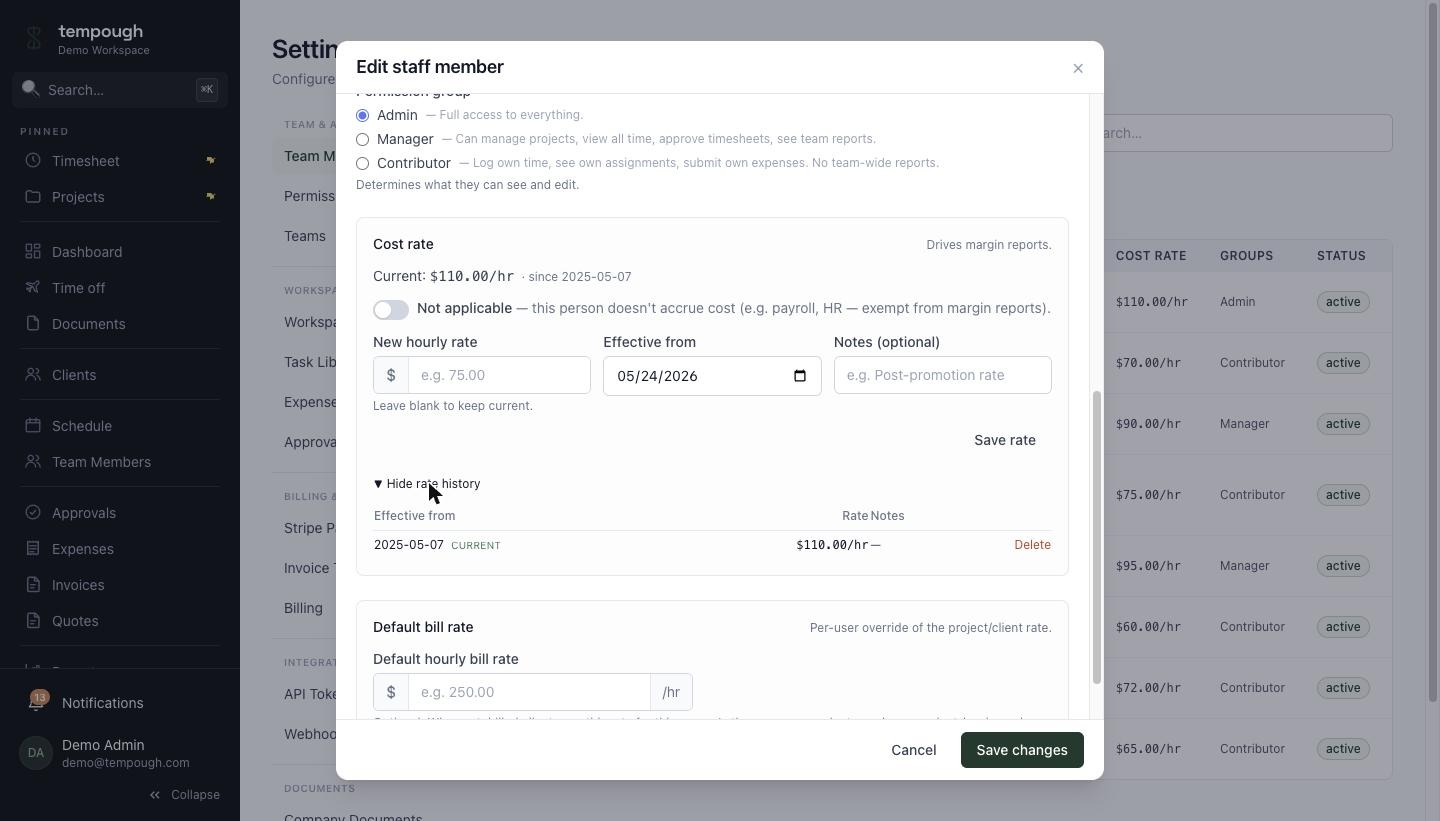
Cost rates per person — effective-dated, so historic Margin reports stay reproducible. 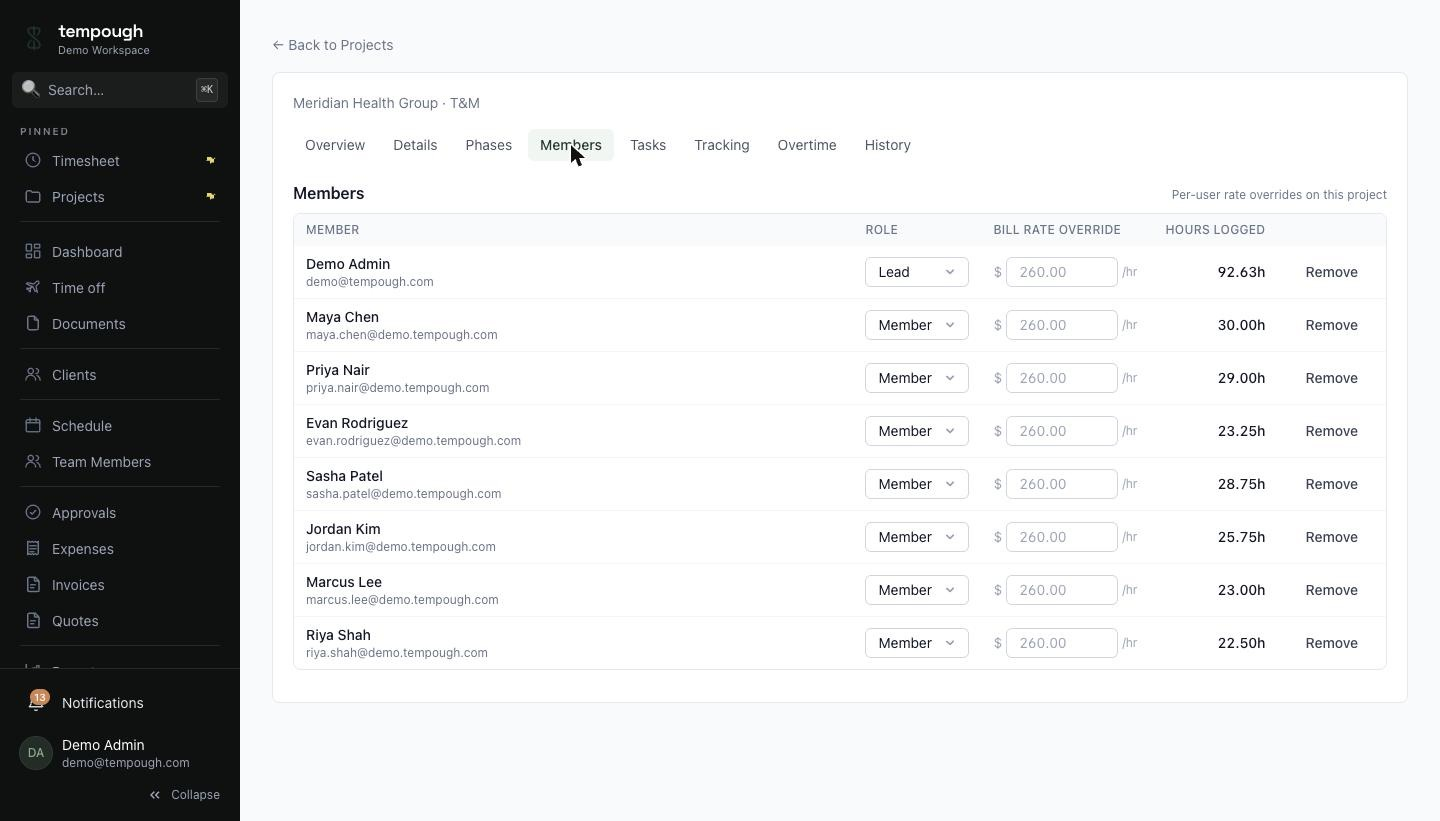
Per-project billing rates — overrides on top of the workspace default. - 5
Rebuild scheduling if you were using Clockify Scheduling
Clockify Scheduling is a different data model than Tempough's Schedule. Rebuild active assignments via drag-to-create on the Schedule view. Capacity respects time-off and holidays automatically.
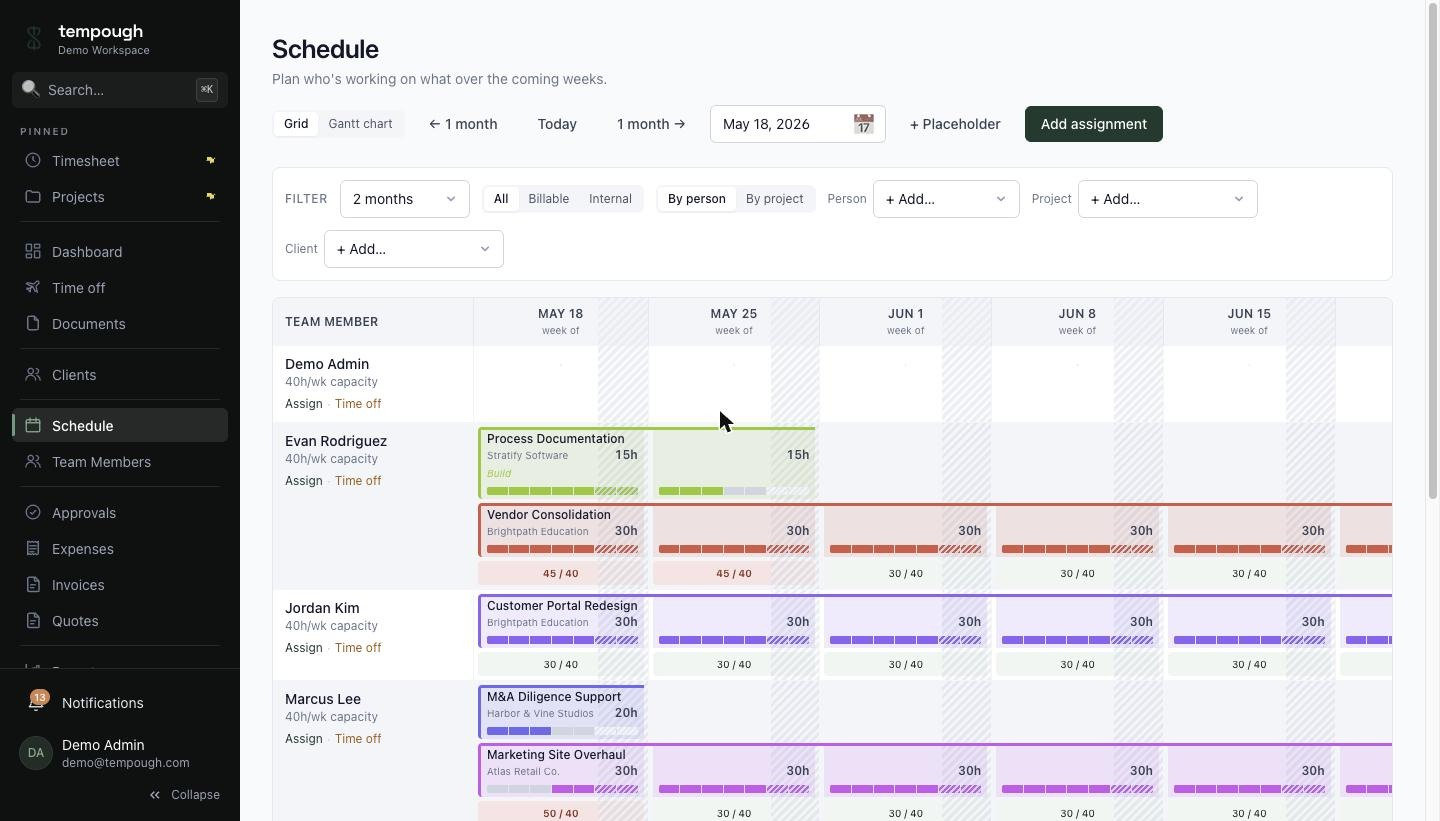
Schedule — drag-to-create assignments, capacity overrides, time-off-aware. - 6
Consolidate your workspace tier
In Clockify, you may have had a mix of paid and free seats. In Tempough everyone is on the same plan — no per-user tier juggling. Pick a tier (Individual / Partnership / Team / Team Pro) and the whole workspace gets that feature set.
Day-one translation
What was called what in Clockify, and where to find it in Tempough.
In Clockify | In Tempough |
|---|---|
| Timer | Timer (browser + keyboard-first) |
| Workspace | Tenant / workspace (one per company) |
| Projects → Tasks | Projects → Phases → Tasks |
| Clients | Clients (same shape, plus default rates) |
| Time entries with descriptions | Time entries with notes |
| Detailed report → CSV | Reports → Detailed Time + custom builder |
| Invoicing (Standard+ only) | Invoicing (Individual+) — Stripe-powered |
| Scheduling (Pro+) calendar overlay | Schedule (Team+) — Gantt + capacity + variance |
| Cake plan cost rates (separate $) | Cost rates + Margin reports (Team+) — bundled |
| Approval (Pro+ only) | Approvals (Team+) — with org-chart routing |
Migration FAQ
The case for switching →
Why teams move off Clockify.
Tempough vs Clockify →
Side-by-side feature comparison.
Ready when you are.
Create a workspace, import your Clockify data, invite your team.