Switching from
Toggl Track.
Practical walkthrough — no marketing fluff. Most teams complete the move in under an hour. Here's exactly what to do.
The 6 steps
- 1
Export your Toggl data
In Toggl Track, go to Reports → Detailed → Export → CSV for the time range you want to migrate. Separately export your Workspace's Projects list and Clients list from their respective management screens. You'll get three CSV files.
- 2
Verify the user_email column in the time CSV
Toggl's time export uses display name by default. Check whether the email column is included (newer exports include it). If not, open the CSV in a spreadsheet, add a column called user_email, paste each person's work email next to their name. Five minutes for a small team.
- 3
Sign up for Tempough and invite your team
Create your Tempough workspace and invite team members at Settings → Team. Emails need to match what's in the user_email column. Tempough Free is fine for the import — no need to pick a paid plan until you want to invoice.
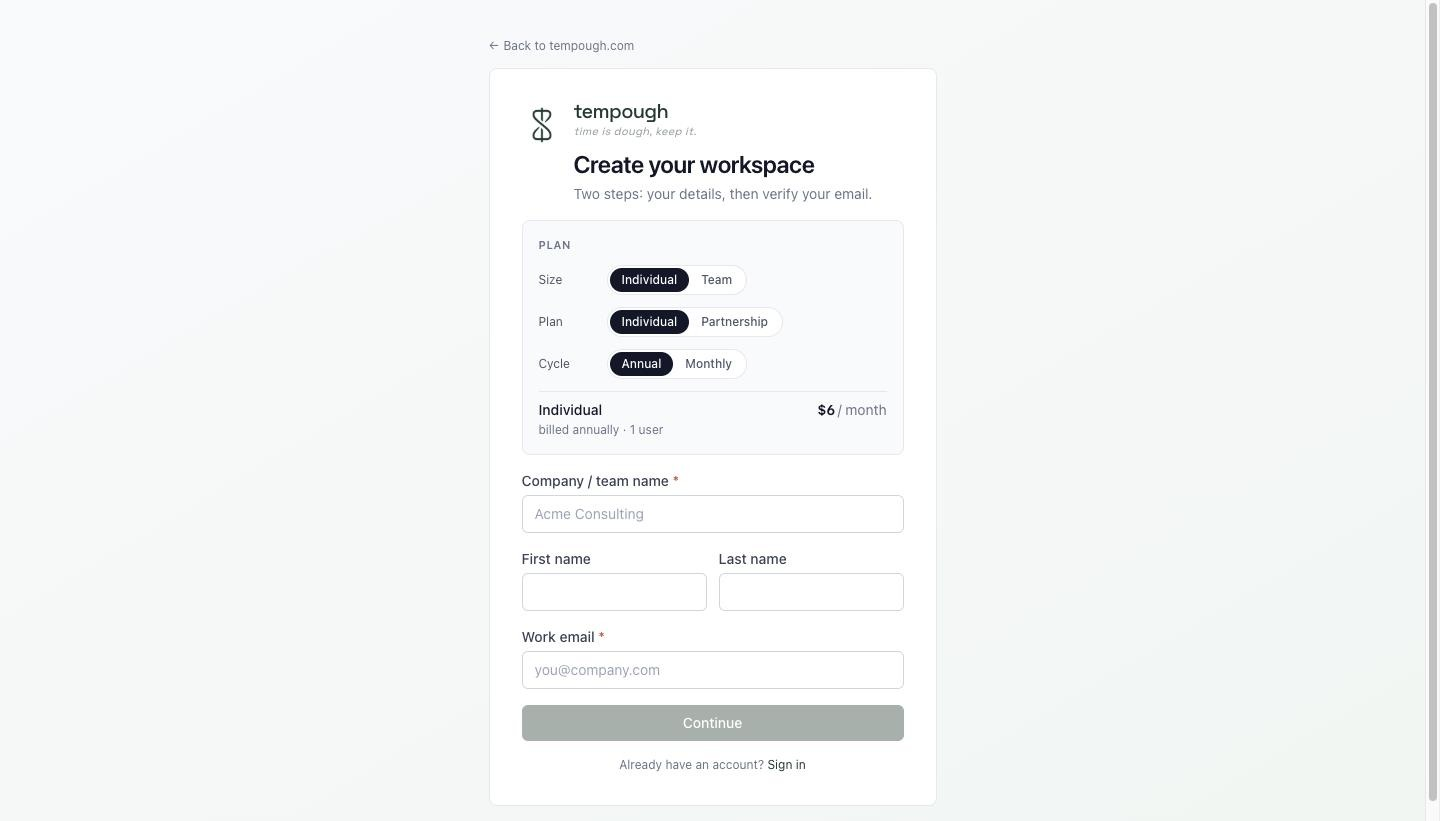
Step 3a — Create a Tempough workspace. 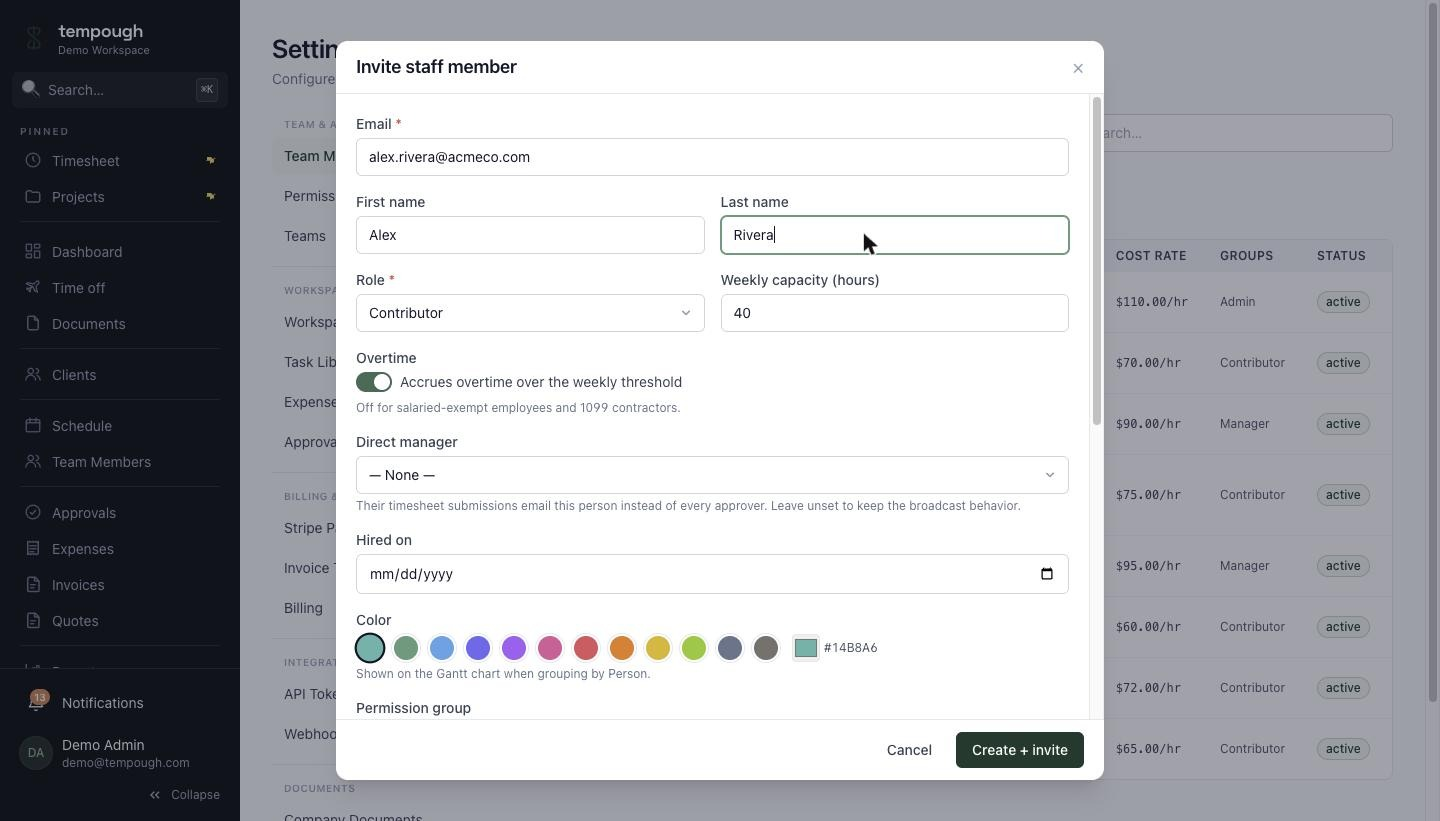
Step 3b — Invite teammates. Emails must match the user_email column. - 4
Import — clients, then projects, then time
Go to /imports and upload in that order. Each step has a Dry-run button that runs the full operation in a transaction and rolls it back so you can preview exactly what would land. Duplicates dedupe on natural keys so re-running a fixed file is safe.
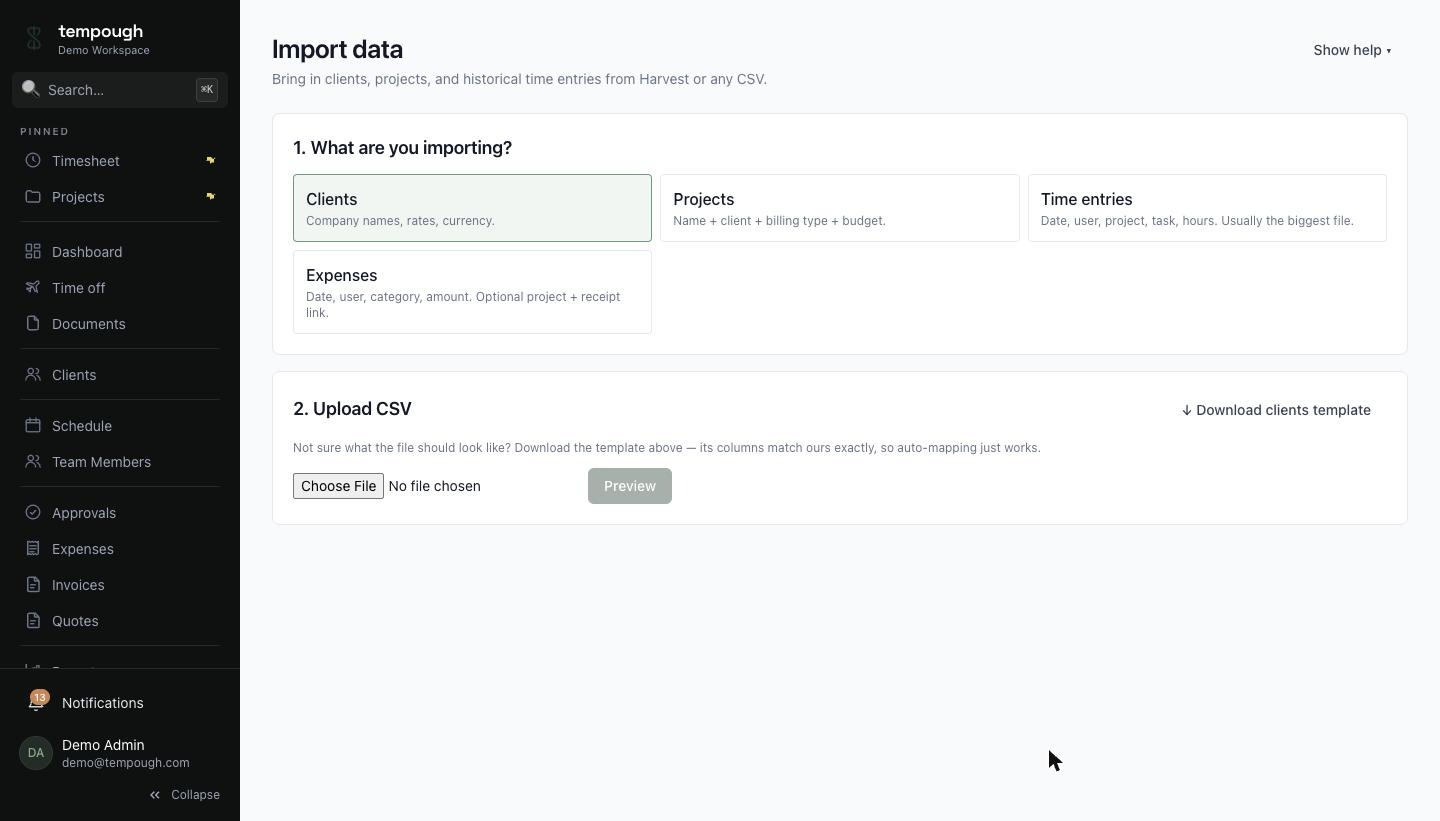
The /imports page — start with Clients, then Projects, then Time. 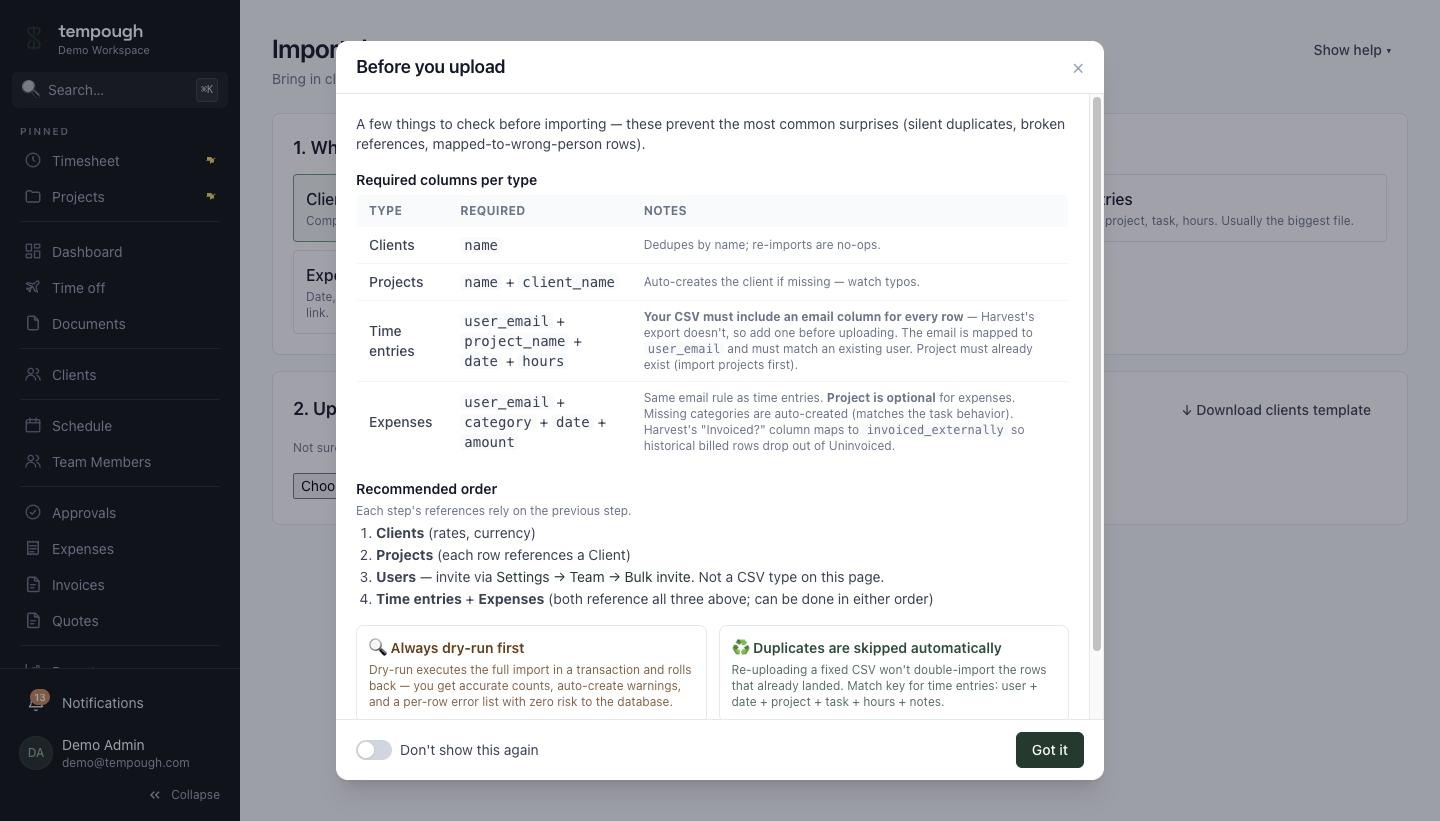
Every importer runs the upload in a transaction and rolls back so you can preview. - 5
Set up billing rates and (optionally) cost rates
Toggl tracks hours but not billing or cost rates, so you'll set those fresh. Per-project, per-task, or per-member billing rates at the project level. Per-user cost rates at Settings → Cost Rates if you want Margin reports.
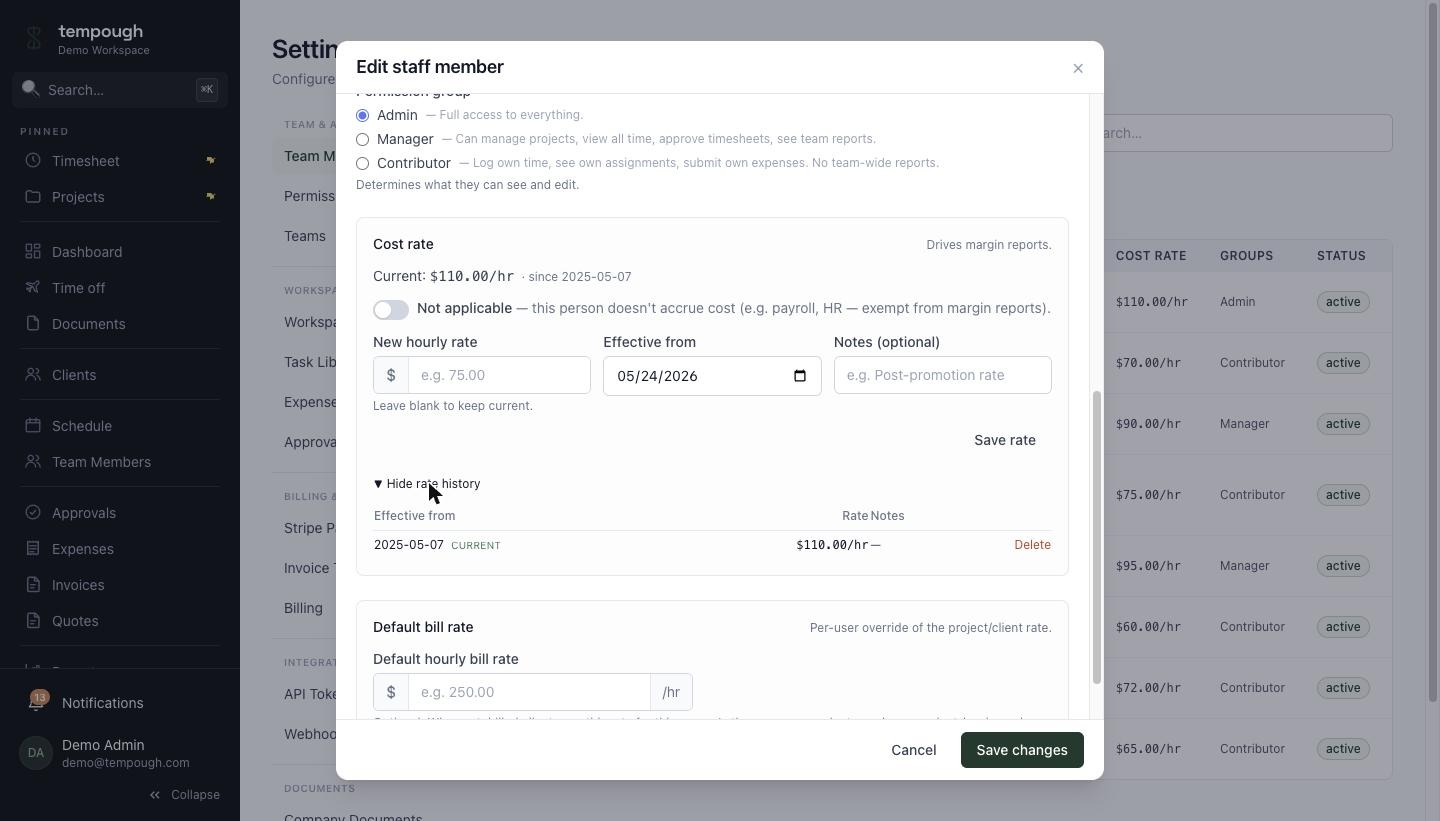
Cost rates per person — effective-dated, so historic Margin reports stay reproducible. 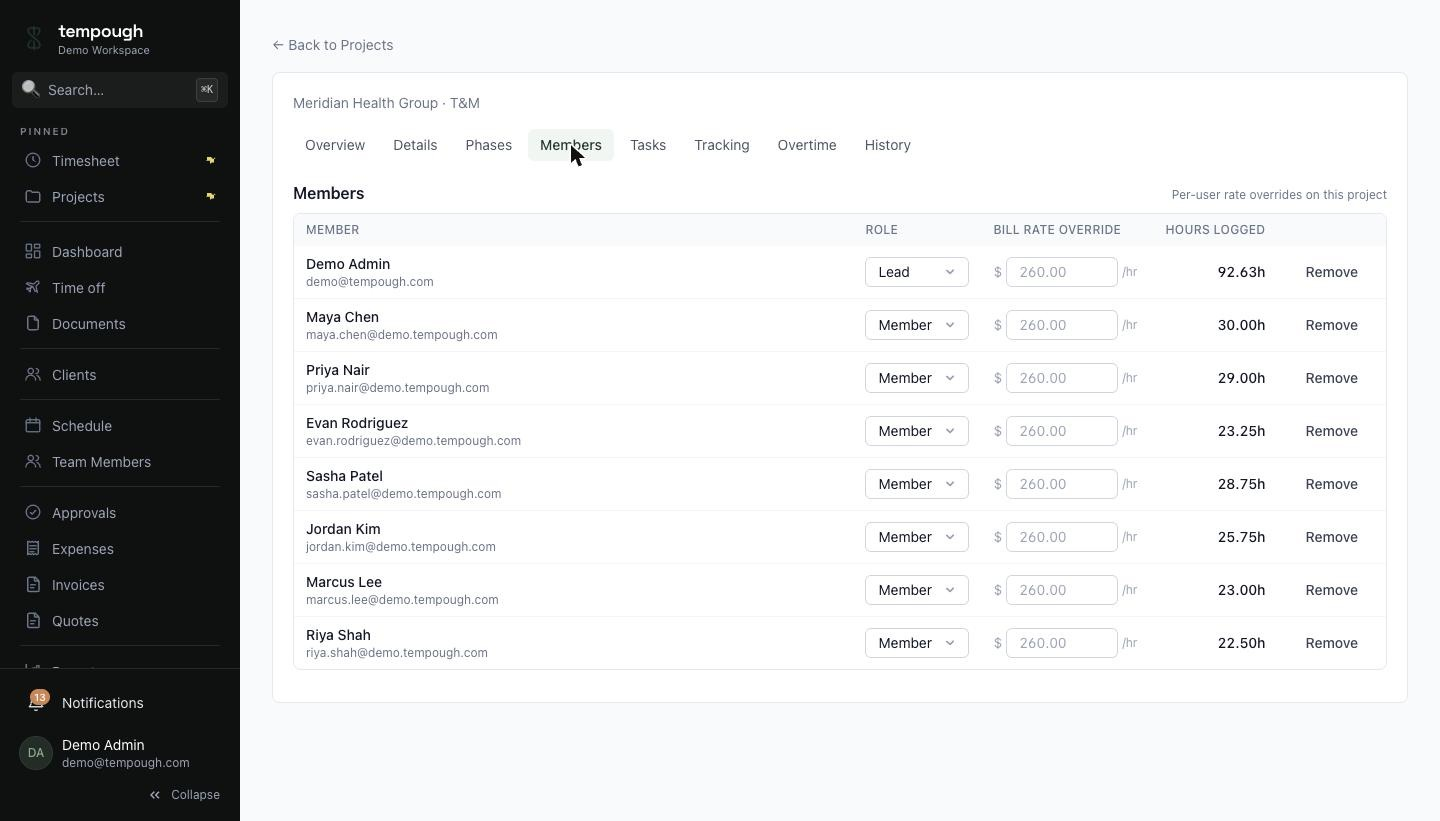
Per-project billing rates — overrides on top of the workspace default. - 6
Rebuild your Toggl Plan assignments (if you were using it)
If you were paying for Toggl Plan separately, rebuild active assignments in Tempough's Schedule view. Drag-to-create, multi-week stretches, time-off conflicts handled automatically. A 15-seat team typically takes 30-60 minutes.
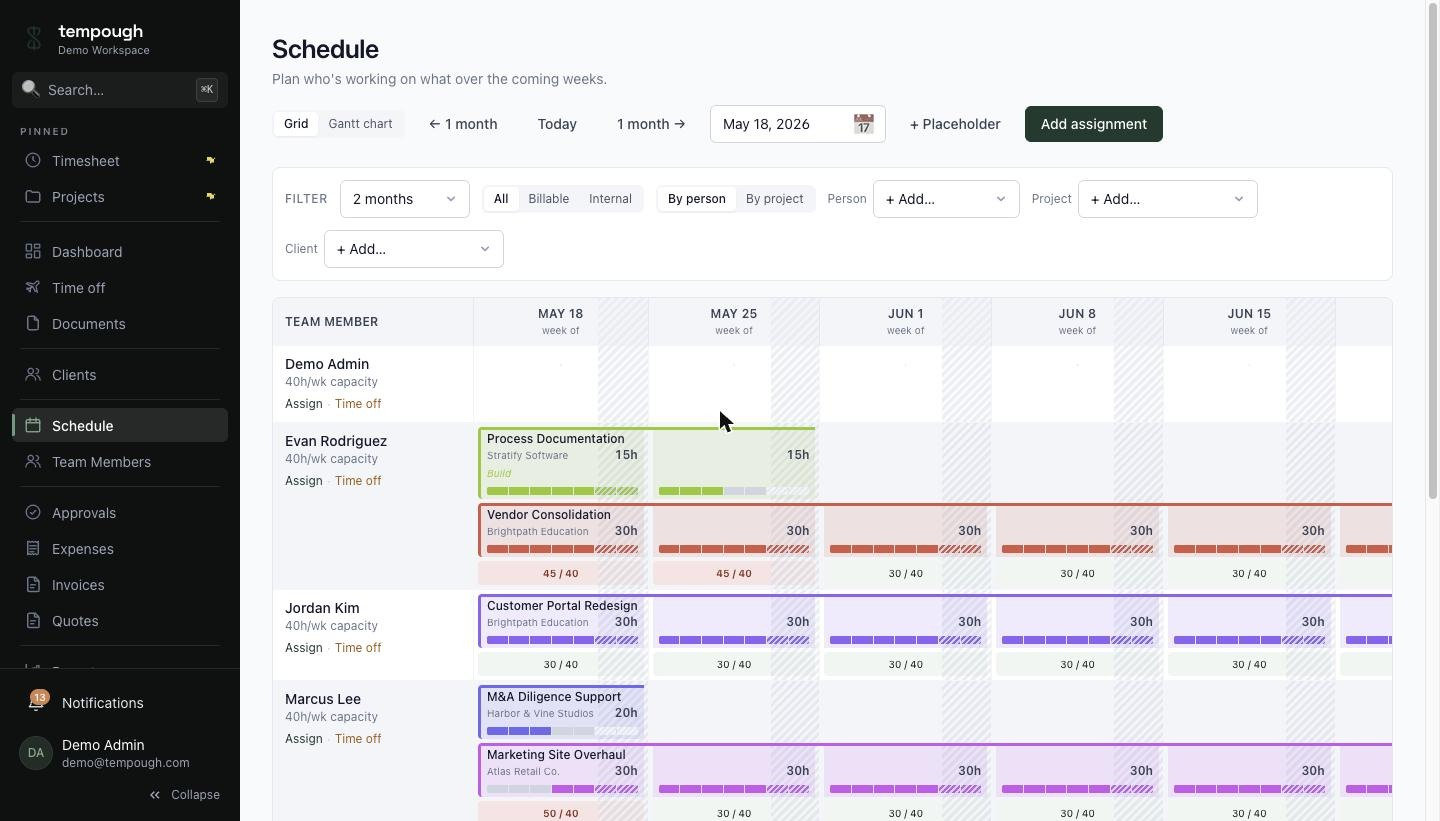
Schedule — drag-to-create assignments, capacity overrides, time-off-aware.
Day-one translation
What was called what in Toggl Track, and where to find it in Tempough.
In Toggl Track | In Tempough |
|---|---|
| Timer | Timer (browser + keyboard-first) |
| Workspaces | Tenants / workspaces (one per company) |
| Projects → Tasks | Projects → Phases → Tasks |
| Tags | Project members + task assignment |
| Time entries with notes | Time entries with notes (same shape) |
| Detailed Reports → CSV export | Reports → Detailed Time + custom report builder |
| Toggl Plan (separate $9/seat) | Schedule (Team+) — same login, no add-on |
| (nothing — bolt on FreshBooks) | Invoicing + Stripe payments (Individual+) |
| (nothing — bolt on Float / Forecast) | Capacity planning + forecast-vs-actual (Team+) |
| (nothing equivalent) | Cost rates + margin (P&L) reports, approvals, time-off, org chart |
Migration FAQ
The case for switching →
Why teams move off Toggl Track.
Tempough vs Toggl Track →
Side-by-side feature comparison.
Ready when you are.
Create a workspace, import your Toggl Track data, invite your team.